The Samsung Galaxy Tab S 10.5 (2014) still carries a Super AMOLED panel that puts modern mid-range displays to shame. But software-wise, Android 6.0.1 is a graveyard.
In 2026, I stopped treating it like a tablet and started treating it like a display-attached edge node.
The mission: Turn a decade-old relic into a low-latency, push-driven dashboard appliance. Native Go on the tablet, Server-Sent Events (SSE) instead of polling, and a GoLand workflow on my desktop that deploys to the device like it's just another node on my network.
This is the tablet running the Go SSE node: idle until an event arrives, then instant state change.
1) Rooting an SM-T800 is a Time Machine
This is not a how-to guide, and I don't suggest rooting a primary device due to the security implications, but this was my path to total hardware ownership:
- The Stack: Odin → TWRP → SuperSU
- The Mode: Download Mode
- The Trade-off: Knox e-fuse tripped (a permanent hardware flag, but a necessary price for a managed node)
The payoff: I'm no longer negotiating with Android's "helpfulness." I can run what I want, keep background processes alive, and treat the device like a managed infrastructure node, not a locked-down consumer tablet.
2) Termux on Android 6
This was a hurdle. Modern Termux has moved on, and Android 6 is no longer a first-class citizen. Bypassing the "repository apocalypse" required:
- Redirecting to archived mirrors for legacy architectures.
- Handling rotated/expired GPG signing keys.
- Pinning sources to ensure builds remain repeatable on 2014-era runtimes.
3) Go Backend: Why Go on the Tablet
Outside of my love for the language, the technical benefits of using it on legacy hardware are undeniable:
- Native ARM binary: No heavy VM or interpreter overhead.
- Minimal Footprint: Low idle CPU usage.
- Native Concurrency: Handling triggers without the weight of Python or Node.js dependencies.
4) Architecture: Push-Driven, Not Poll-Driven
Polling is a quiet killer of performance and power. Instead, I designed for instant reaction:
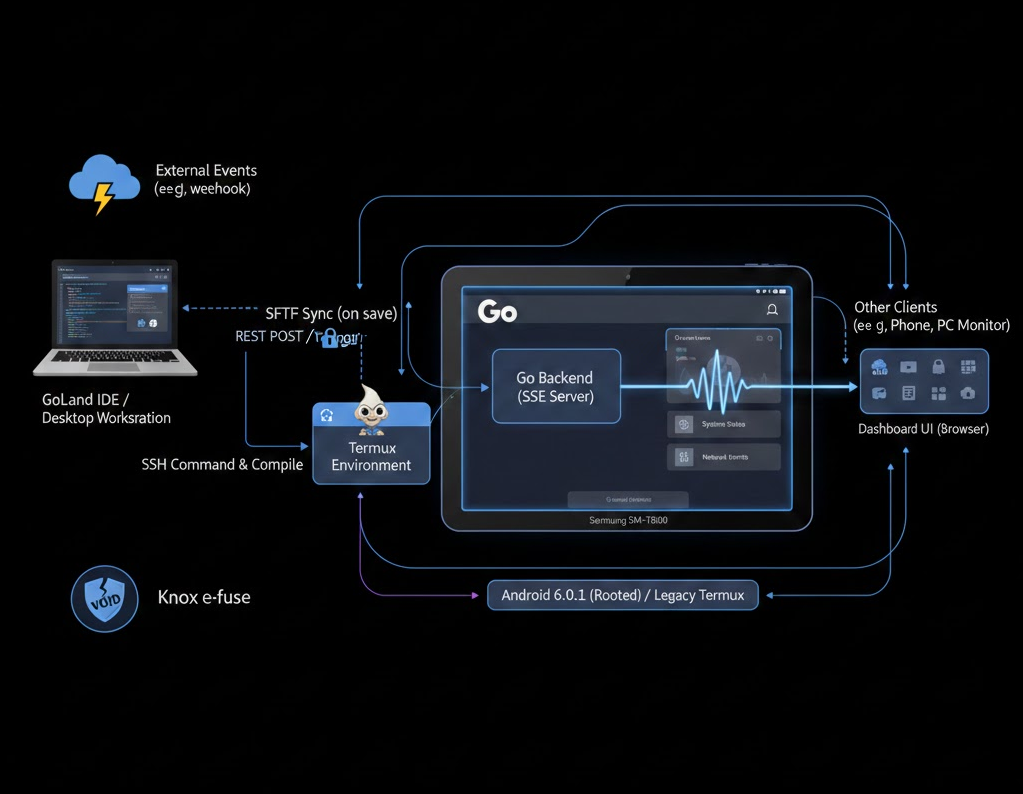
- The tablet runs a small Go server.
- The dashboard UI opens an SSE stream to the tablet (
/events). - When a trigger occurs, a REST call updates the state, and the server broadcasts to connected clients instantly.
The Flow:External Event→REST POST→Go State Manager→SSE Broadcast→AMOLED Update
Example trigger:
curl -X POST http://tablet.local:8080/trigger \
  -H "Content-Type: application/json" \
  -d '{"state":"awake"}'
The tablet's browser doesn't "check" anything; it's just listening. It stays idle until the moment it matters.
5) Dev Workflow: GoLand + Fast Deploy Loop
This is what makes the project sustainable. To avoid the friction of "old" hardware, I brought it into a modern IDE workflow:
- Source of Truth: GoLand on my desktop.
- Auto-Deploy: Every save triggers an SFTP sync into the Termux directory.
- Remote Execution: I compile and run on the actual hardware via an integrated SSH terminal without leaving the editor.
The Result: 2026 iteration speed on 2014 hardware. Not because the tablet is fast, but because the workflow is.
6) Final Thoughts
This project wasn't about nostalgia. It was a reminder that "obsolete" usually means unsupported, not incapable.
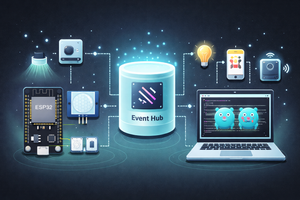
You might ask: Why not an ESP32 or a Raspberry Pi? For this use case, they're viable, but not cost-effective. By the time I source a high-density 2K display, a driver board, and a power supply, I'm easily $150 deep building a worse version of what's already sitting in my desk drawer.
Reusing the Tab S isn't just eco-friendly. It's a shortcut to high-fidelity output.
Once you stop trying to force modern apps onto it and instead treat it as a dedicated device running your software, it stops being a relic and starts being infrastructure.
Infinite Art + Any Media/Sound